First steps
With lanstash installed, configured and the DNS pointing at it, a few things are left: an admin account for the web
UI, a Steam account for Steam's prefill and builds, a setup file for each PC that runs Epic Games, and a first
prefill to see it all work. The web UI is at http://192.0.2.10:8081 in these examples (your admin_listen).
Make the first admin
lanstash keeps its own accounts for the web UI and the API. The first admin is made on lanstash's own machine:
It asks for the password twice, without showing it. Passwords are kept only as hashes, in the secrets
directory. Without --admin, user add makes a viewer; lanstash user list shows the accounts.
Who may do what
Anyone on the LAN may look at the web UI, read only. Changing anything needs an account with the permission for it: an admin may do everything, a player prefills the games its linked platform accounts own, a viewer reads. Requests from lanstash's own machine may do everything, so the command line needs no sign-in. More accounts are best added from the web UI with an invite link (see Accounts).
Sign in to the web UI
Open the web UI in a browser and choose Sign in at the foot of the sidebar. Sign in as admin with the password
you chose. A session lasts 30 days from its last use.
Sign in to Steam
Steam's prefill and builds need a Steam account signed in, so lanstash can read what your games need.
- Open Platforms, Steam, then the Account part.
- Choose Add an account to sign in. A QR code appears.
- Open the Steam mobile app of that account, tap the Steam Guard shield, then the QR scanner, and scan the code.
- Approve the sign-in in the app.
No password is involved: lanstash keeps only the sign-in Steam hands out. Several accounts may be signed in, and
each one's games are fetched as that account. The same is possible from the command line with
lanstash steam login (see the command line).
Epic Games has an Account part too: it opens Epic's own sign-in page in a new tab, and you paste the code that page shows back into lanstash.
Set up an Epic Games PC
Epic's launcher downloads over HTTPS as it comes, which a caching proxy can only pass on, so nothing is kept. Each Windows PC that runs Epic needs a small setup file from lanstash once.
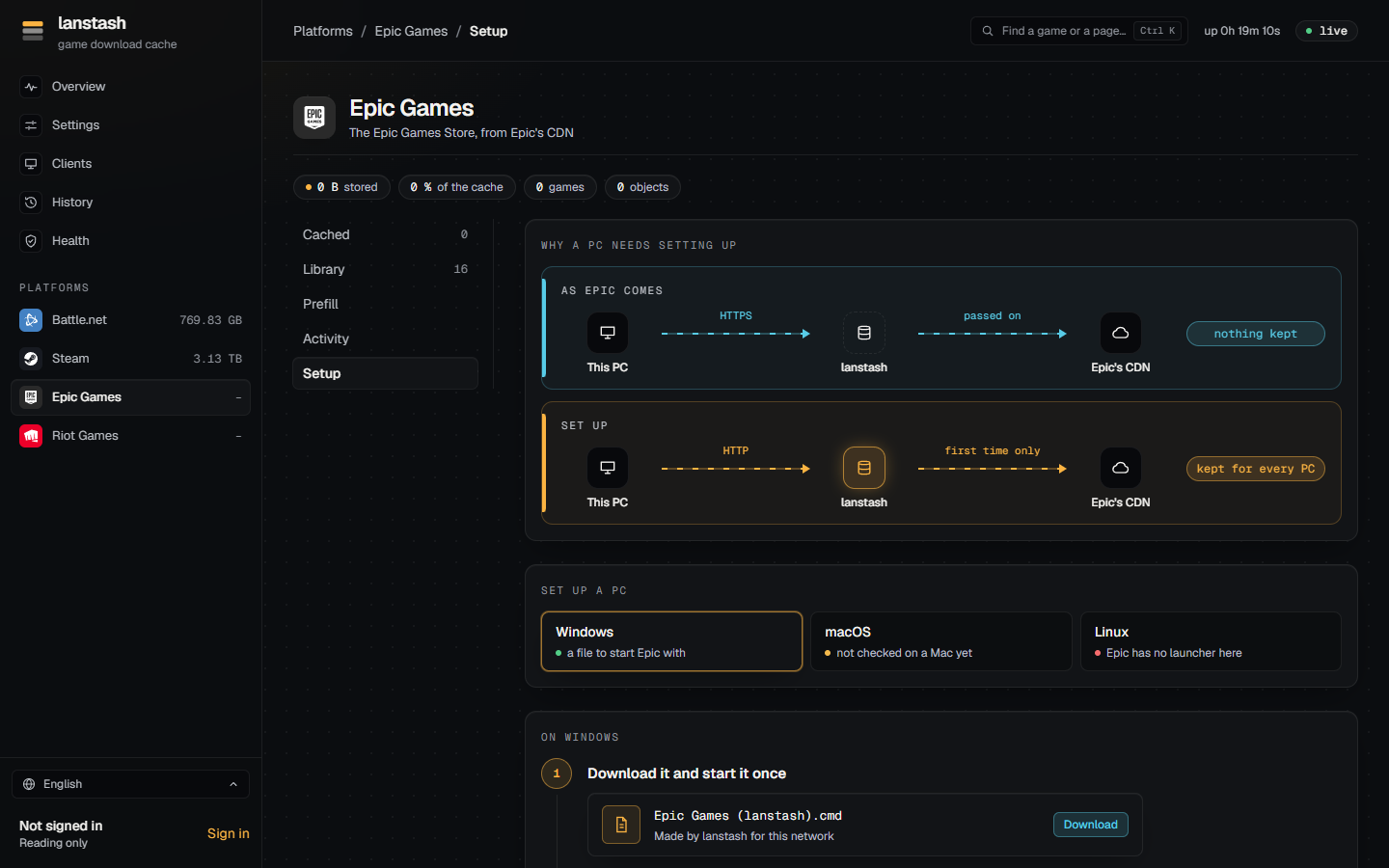
- Open Platforms, Epic Games, then the Setup part, and choose Windows.
- Download the file made for your network and start it once. Windows may ask whether to run a downloaded file: Run. It puts itself in place and makes a shortcut on the desktop and in the Start menu.
- From now on, start Epic with that shortcut in place of Epic's own. Each time, it closes the launcher if it is
running, adds a few lines to Epic's settings file (
Engine.ini), then starts the launcher as usual.
To check it: install or update any game. It shows under Activity while it downloads and under Cached once it is done. If it shows in neither, the launcher is still downloading over HTTPS.
Note
The macOS file is not made yet, and Epic has no launcher for Linux.
A first prefill
A prefill puts a game's current build into the stash before anyone asks for it.
Open a platform's Cached or Library part, find the game and choose Prefill. The Prefill part shows its progress. While one runs, further games can be queued behind it.
See Prefill for more.
Check it on the overview
The Overview page shows what lanstash does now: a status line, then tiles for throughput, downloads, requests, storage and connections. While a prefill or a download runs, you see it fetch from the internet; when a PC installs a game the stash already holds, it is served from the stash. The savings, traffic and games served most over a day, week or month are there too. See Overview.
To check the whole installation from the command line: