Prefill
A prefill puts a game's current build into the stash before anyone asks for it, so the first PC that installs it already gets it at LAN speed. lanstash can prefill Steam, Battle.net and Epic Games games, keep games current on its own as new builds come out, and fetch an install for another platform or language than your PCs use.
Note
Starting a prefill needs an account that may prefill: an admin may prefill any game, a player only the games its linked platform accounts own. See Accounts.
Starting a prefill
On a game's page, each build has a Prefill button (Pre-load for a pre-release build). When the platform is already prefilling another game, the button says Queue instead and the game waits its turn.
A platform prefills one game at a time; the others wait in its queue. A prefill only fetches what the stash does not hold yet, so prefilling a game that is partly stashed is quick.
The Prefill part
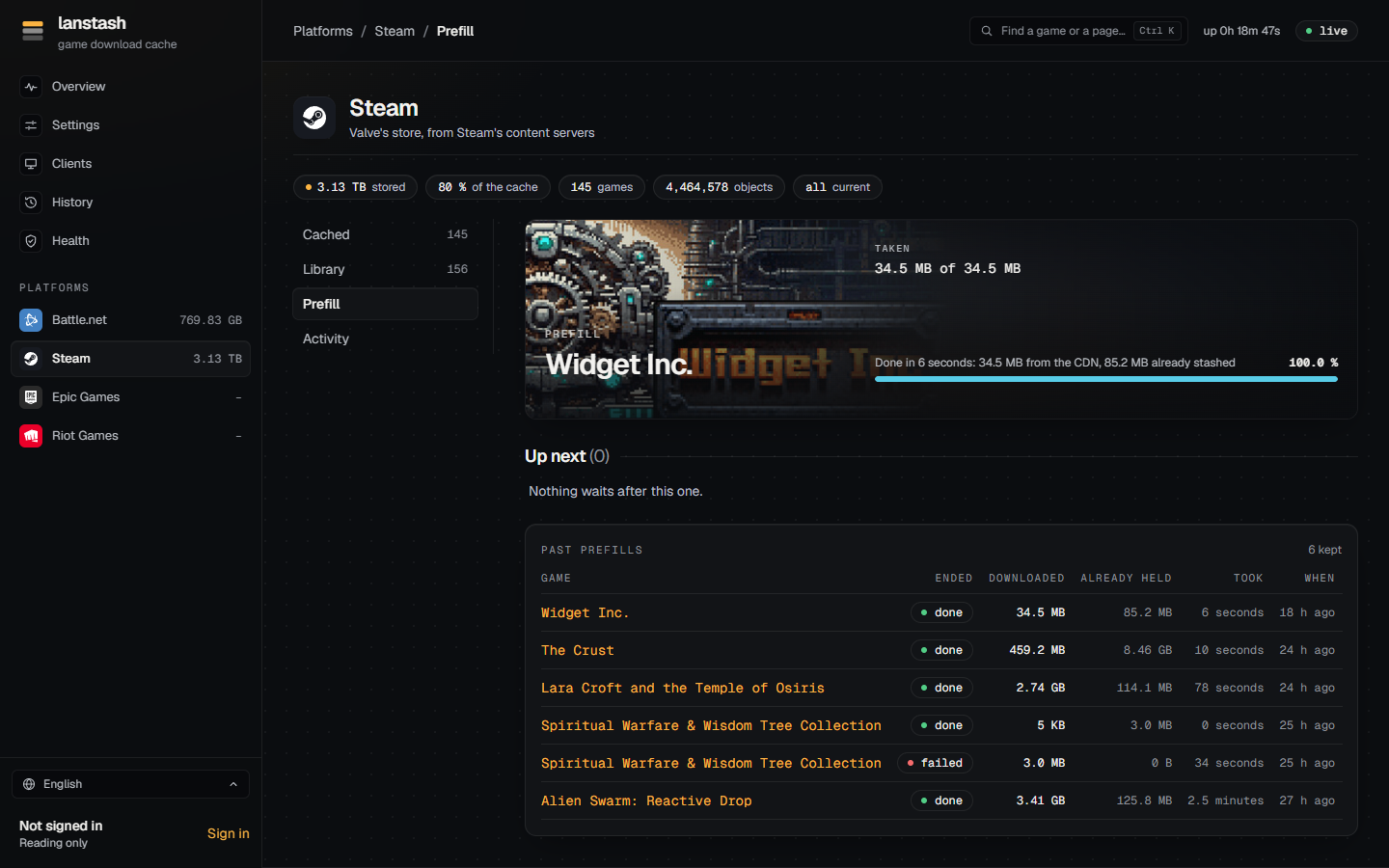
Each platform's Prefill part shows:
- the prefill running now: how far it got, the network rate, and when it ends, what it took (for example "34.5 MB from the CDN, 85.2 MB already stashed");
- Up next: the games waiting, in the order they will run. Remove takes one out of the queue;
- Stop...: stops the running prefill. Stop forgets the games waiting after it too;
- Past prefills: every prefill that ended, with its state (done, stopped, failed), what it downloaded, what was already held, how long it took and when. lanstash keeps these across restarts.
Choosing games in the Library
The Library part lists the games the platform offers that the stash does not hold yet: for Steam and Epic Games, the games your signed-in accounts own; for Battle.net, every game in Blizzard's catalog.
- Find games by name with Search by name, and show them as Covers or a List, sorted by Name or Size.
- Click the games you want (or choose all those shown).
- The bar at the foot says how many games are chosen, about how much a prefill downloads, and how much is free on the disk. When the games would take more than is free, eviction makes room (see Health and checks).
- Queue n prefills queues them all.
On the Cached part, Bring the games behind up to date queues prefills of every stashed game whose current build the stash does not hold whole, the smallest first, so games come up to date sooner.
Moving from lancache
When lanstash's configuration names lancache's old cache (nginx_cache), the Library and game pages also say
how much of a game lancache holds, and offer From lancache: the prefill takes what lancache holds first,
checked, and the rest from the CDN.
Keeping games current automatically
With Automatic updates set (auto_update, in Settings), lanstash keeps games current on its own:
- every game whose current build the stash once held whole is followed from then on;
- when such a game gets a new build, lanstash queues a prefill of it from the CDN, behind whatever runs;
auto_updateis always, a daily window in UTC (HH:MM-HH:MM, for example02:00-06:00), or off. Outside the window nothing is queued.
A game's page says updates: automatic for a followed game and by hand for the others. Games never held whole (imported only in part, say) are not followed, and neither is a game you deleted, until the stash holds it whole again. A prefill that fails is not tried again until the next build or a restart.
Downloading for another platform or language
Most networks have PCs of one kind, and lanstash prefills for what it is set up for. When a game has installs for other platforms or languages (a Mac among Windows PCs, a German client among English ones), its page shows a panel Download for another platform or language.
- Platform: the platforms this build has installs for, such as Windows and macOS.
- Architecture: shown when the platform has several; any takes every architecture of it.
- Language: the languages this build has installs for; as set up keeps the configured one.
- Platform: Windows, macOS or Linux, as the game installs for them.
Prefill for the chosen platform fills what that install takes and the stash lacks. The usual install is not changed. A platform the stash already holds whole is marked stashed.
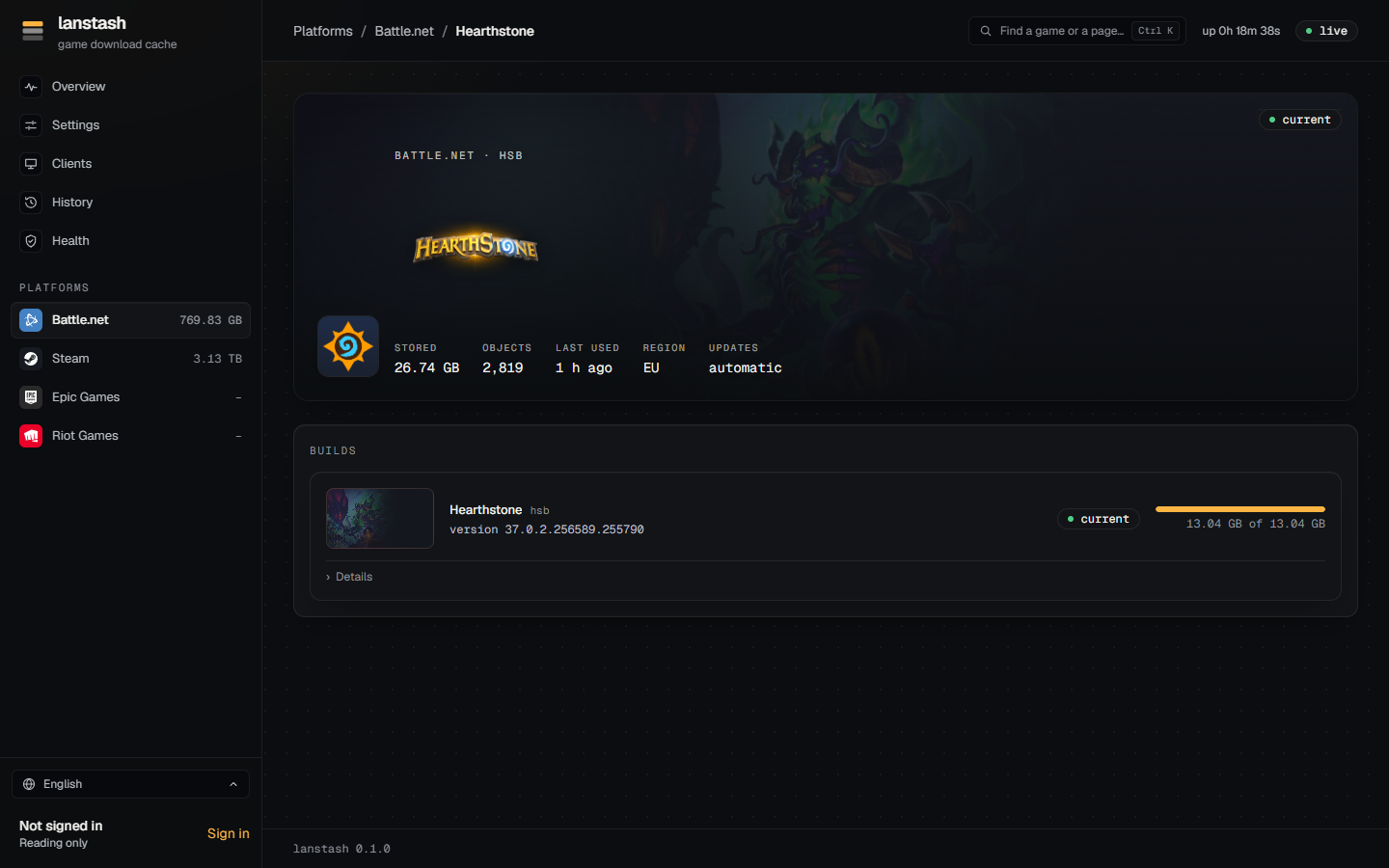
Once the stash holds some of another platform's install, the game's Builds list shows it as a row of its own, with how much of it is stashed, beside the usual one.
Prefilling from the command line
On lanstash's own machine, lanstash prefill starts a prefill in the running lanstash and follows it:
lanstash prefill steam/<app id>        # a Steam game by its app id
lanstash prefill blizzard/wow          # a Battle.net game by its product code
lanstash prefill blizzard/wow --pre    # its pre-release build
lanstash prefill stop                  # stop the running prefill
The platforms are steam, blizzard and epicgames. Progress is printed every 2 seconds; Ctrl+C stops
following, not the prefill. --detach starts it without following, and --from lancache takes what lancache's
old cache holds first. The command exits with 1 unless the prefill ends done. All options are in the
command line reference.